Qapital is a personal finance mobile application (app) for the iOS and Android operating systems, developed by Qapital, LLC. The app is designed to motivate users to save money through a gamification of their spending behavior. It moves money from a user's checking account to a separate Qapital account, when certain rules are triggered. Its database is used by psychology professor Dan Ariely to study consumer behavior. Qapital was released in Sweden in 2013, then in the US in early 2015. The application was later withdrawn from the Swedish market in April 2015, in order to focus on the US market. == History == The idea for Qapital was conceived by ex-bankers in Sweden. The software was designed by twin brothers Daniel and Andreas Källbom of Studio Källbom and released in Sweden in December 2013. The original software was a personal finance dashboard, similar to Mint.com, to show its users how they spent their money. Qapital introduced the app into the US market with a different design in 2014 and started focusing exclusively on the US market. The app was re-designed to focus on building savings rather than managing personal finances. The Swedish version shut down in April 2015. The app was initially restricted to the iOS platform, but an Android version was released at the end of 2015. Shortly after its US launch, Qapital invited psychology professor Dan Ariely to join its team as its "chief behavioral economist". He uses the app's database to conduct research into behavioral economics and Qapital in turn uses Ariely's research in design and programming decisions. In 2017, Qapital added checking and debit card services to the app. == Concept and features == Qapital is a free personal finance app for iOS and Android devices, intended to encourage its users to save money. Qapital directs each of its users to set savings goals, then automatically transfers money from their checking account to an account for savings, when a rule established in the app is met. It uses the "if this then that" (IFTTT) rule-based web-service. For example, one rule could be that if a user purchases a cup of coffee, then the app will round up the charge to the nearest dollar and deposit the difference into savings. Users connect their bank accounts to Qapital, so it knows when purchases are made. When a rule is met, money for savings are transferred to a Qapital account operated in partnership with Lincoln Savings Bank. As of 2015, Qapital can connect to more than 180 other apps, such as Facebook, Twitter, Dropbox and Instagram. For example, connecting to Jawbone allows the user to set a rule that if they take a certain number of steps during the day, a set amount of money is transferred to savings. The app also allows users to monitor activity among their other financial accounts, such as deposits and withdrawals. == Reception == In an October 2015 review, PC Magazine gave Qapital four out of five marks and an editor rating of "excellent." The review praised the app for having a "lovely design" and criticized it for being a, "bit simplistic in some of its rules." Bankrate, in a May 2015 review, gave the app a score of 3/5 for "ease of use," 5/5 for "features," 4/5 for "effectiveness," 4/5 for "value," for a total score of 16/20. The reviewer criticized Qapital's savings account for providing a low-interest rate, but concluded that its numerous features make the app "intriguing" and "it would be difficult to find a standard bank app more fun to use than Qapital."
Grammatik
Grammatik was the first grammar-checking program for home computers. Aspen Software of Albuquerque, NM, released the earliest version of this diction and style checker for personal computers. It was first released no later than 1981, and was inspired by the Writer's Workbench. Grammatik was first available for the TRS-80, and soon had versions for CP/M and the IBM PC. Reference Software International of San Francisco, California, acquired Grammatik in 1985. Development of Grammatik continued, and it became an actual grammar checker that could detect writing errors beyond simple style checking. Subsequent versions were released for MS-DOS, Windows, Macintosh, and Unix. Grammatik was ultimately acquired by WordPerfect Corporation and is integrated into the WordPerfect word processor.
Windows Live OneCare Safety Scanner
Windows Live OneCare Safety Scanner (formerly Windows Live Safety Center and codenamed Vegas) was an online scanning, PC cleanup, and diagnosis service to help remove of viruses, spyware/adware, and other malware. It was a free web service that was part of Windows Live. On November 18, 2008, Microsoft announced the discontinuation of Windows Live OneCare, offering users a new free anti-malware suite Microsoft Security Essentials, which had been available since the second half of 2009. However, Windows Live OneCare Safety Scanner, under the same branding as Windows Live OneCare, was not discontinued during that time. The service was officially discontinued on April 15, 2011 and replaced with Microsoft Safety Scanner. == Overview == Windows Live OneCare Safety Scanner offered a free online scanning and protection from threats. The Windows Live OneCare Safety Scanner must be downloaded and installed to your computer to scan your computer. The "Full Service Scan" looks for common PC health issues such as viruses, temporary files, and open network ports. It searches and removes viruses, improves a computer's performance, and removes unnecessary clutter on the PC's hard disk. The user can choose between a "Full Scan" (which can be customized) or a "Quick Scan". The "Full Scan" scans for viruses (comprehensive scan or quick scan), hard disk performance (Disk fragmentation scan and/or Desk cleanup scan) and network safety (open port scan). The "Quick Scan" only scans for viruses, only on specific areas on the computer. The quick scan is faster than the full scan, hence that appellation. The service also provides a virus database, information about online threats, and general computer security documentation and tools. == Limits == The virus scanner on the Windows Live OneCare Safety Scanner site runs a scan of the user's computer only when the site is visited. It does not run periodic scans of the system, and does not provide features to prevent viruses from infecting the computer at the time, or thereafter. It simply resolves detected infections. Many users who have posted on the Product Feedback forum report script errors relating to Internet Explorer 7 (besides IE being the only browser supported by this service). The OneCare safety scanner team have been actively solving these problems, many of them registry-related.
Availability zone
In cloud computing, an availability region is a group of data centres that are located in the same geographical region. Availability regions comprise multiple availability zones, which are groups of data centres that are located far enough from each other to prevent large-scale outages in the event of failure of a single zone, whilst still being close enough to each other to enable low-latency connections. Distributed systems spanning multiple availability zones allow for high availability, even in the event of catastrophic failure, such as natural disasters. Services offering distinct availability zones include Amazon Web Services, Microsoft Azure and Google Cloud.
PlantUML
PlantUML is an open-source tool allowing users to create diagrams from a plain text language. Besides various UML diagrams, PlantUML has support for various other software development related formats (such as Archimate, Block diagram, BPMN, C4, Computer network diagram, ERD, Gantt chart, Mind map, and WBD), as well as visualisation of JSON and YAML files. The language of PlantUML is an example of a domain-specific language. Besides its own DSL, PlantUML also understands AsciiMath, Creole, DOT, and LaTeX. It uses Graphviz software to lay out its diagrams and Tikz for LaTeX support. Images can be output as PNG, SVG, LaTeX and even ASCII art. PlantUML has also been used to allow blind people to design and read UML diagrams. == Applications that use PlantUML == There are various extensions or add-ons that incorporate PlantUML. Atom has a community maintained PlantUML syntax highlighter and viewer. Confluence wiki has a PlantUML plug-in for Confluence Server, which renders diagrams on-the-fly during a page reload. There is an additional PlantUML plug-in for Confluence Cloud. Doxygen integrates diagrams for which sources are provided after the startuml command. Eclipse has a PlantUML plug-in. Google Docs has an add-on called PlantUML Gizmo that works with the PlantUML.com server. IntelliJ IDEA can create and display diagrams embedded into Markdown (built-in) or in standalone files (using a plugin). LaTeX using the Tikz package has limited support for PlantUML. LibreOffice has Libo_PlantUML extension to use PlantUML diagrams. MediaWiki has a PlantUML plug-in which renders diagrams in pages as SVG or PNG. Microsoft Word can use PlantUML diagrams via a Word Template Add-in. There is an additional Visual Studio Tools for Office add-in called PlantUML Gizmo that works in a similar fashion. NetBeans has a PlantUML plug-in. Notepad++ has a PlantUML plug-in. Obsidian has a PlantUML plug-in. Org-mode has a PlantUML org-babel support. Rider has a PlantUML plug-in. Sublime Text has a PlantUML package called PlantUmlDiagrams for Sublime Text 2 and 3. Visual Studio Code has various PlantUML extensions on its marketplace, most popular being PlantUML by jebbs. Vnote open source notetaking markdown application has built in PlantUML support. Xcode has a community maintained Source Editor Extension to generate and view PlantUML class diagrams from Swift source code. == Text format to communicate UML at source code level == PlantUML uses well-formed and human-readable code to render the diagrams. There are other text formats for UML modelling, but PlantUML supports many diagram types, and does not need an explicit layout, though it is possible to tweak the diagrams if necessary. +--------------------------------------+ | TEDx Talks Recommendation | | System | +--------------------------------------+ | +----------------------------------+ | | | Visitor | | | +----------------------------------+ | | | + View Recommended Talks | | | | + Search Talks | | | +----------------------------------+ | +--------------------------------------+ | | V +--------------------------------------+ | Authenticated User | +--------------------------------------+ | +----------------------------------+ | | | User | | | +----------------------------------+ | | | + View Recommended Talks | | | | + Search Talks | | | | + Save Favorite Talks | | | +----------------------------------+ | +--------------------------------------+ | | V +--------------------------------------+ | Admin | +--------------------------------------+ | +----------------------------------+ | | | Admin | | | +----------------------------------+ | | | + CRUD Talks | | | | + Manage Users | | | +----------------------------------+ | +--------------------------------------+
Human–robot collaboration
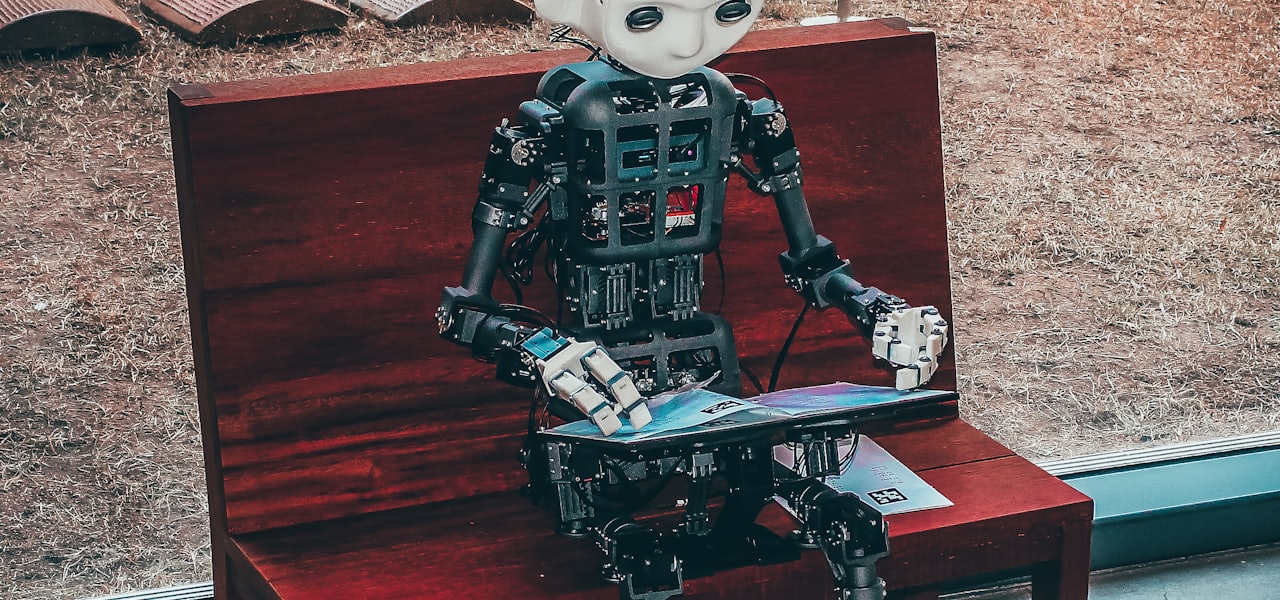
Human-Robot Collaboration is the study of collaborative processes in human and robot agents work together to achieve shared goals. Many new applications for robots require them to work alongside people as capable members of human-robot teams. These include robots for homes, hospitals, and offices, space exploration and manufacturing. Human-Robot Collaboration (HRC) is an interdisciplinary research area comprising classical robotics, human-computer interaction, artificial intelligence, process design, layout planning, ergonomics, cognitive sciences, and psychology. Industrial applications of human-robot collaboration involve Collaborative Robots, or cobots, that physically interact with humans in a shared workspace to complete tasks such as collaborative manipulation or object handovers. == Collaborative Activity == Collaboration is defined as a special type of coordinated activity, one in which two or more agents work jointly with each other, together performing a task or carrying out the activities needed to satisfy a shared goal. The process typically involves shared plans, shared norms and mutually beneficial interactions. Although collaboration and cooperation are often used interchangeably, collaboration differs from cooperation as it involves a shared goal and joint action where the success of both parties depend on each other. For effective human-robot collaboration, it is imperative that the robot is capable of understanding and interpreting several communication mechanisms similar to the mechanisms involved in human-human interaction. The robot must also communicate its own set of intents and goals to establish and maintain a set of shared beliefs and to coordinate its actions to execute the shared plan. In addition, all team members demonstrate commitment to doing their own part, to the others doing theirs, and to the success of the overall task. == Theories Informing Human-Robot Collaboration == Human-human collaborative activities are studied in depth in order to identify the characteristics that enable humans to successfully work together. These activity models usually aim to understand how people work together in teams, how they form intentions and achieve a joint goal. Theories on collaboration inform human-robot collaboration research to develop efficient and fluent collaborative agents. === Belief Desire Intention Model === The belief-desire-intention (BDI) model is a model of human practical reasoning that was originally developed by Michael Bratman. The approach is used in intelligent agents research to describe and model intelligent agents. The BDI model is characterized by the implementation of an agent's beliefs (the knowledge of the world, state of the world), desires (the objective to accomplish, desired end state) and intentions (the course of actions currently under execution to achieve the desire of the agent) in order to deliberate their decision-making processes. BDI agents are able to deliberate about plans, select plans and execute plans. === Shared Cooperative Activity === Shared Cooperative Activity defines certain prerequisites for an activity to be considered shared and cooperative: mutual responsiveness, commitment to the joint activity and commitment to mutual support. An example case to illustrate these concepts would be a collaborative activity where agents are moving a table out the door, mutual responsiveness ensures that movements of the agents are synchronized; a commitment to the joint activity reassures each team member that the other will not at some point drop his side; and a commitment to mutual support deals with possible breakdowns due to one team member's inability to perform part of the plan. === Joint Intention Theory === Joint Intention Theory proposes that for joint action to emerge, team members must communicate to maintain a set of shared beliefs and to coordinate their actions towards the shared plan. In collaborative work, agents should be able to count on the commitment of other members, therefore each agent should inform the others when they reach the conclusion that a goal is achievable, impossible, or irrelevant. == Approaches to Human-Robot Collaboration == The approaches to human-robot collaboration include human emulation (HE) and human complementary (HC) approaches. Although these approaches have differences, there are research efforts to develop a unified approach stemming from potential convergences such as Collaborative Control. === Human Emulation === The human emulation approach aims to enable computers to act like humans or have human-like abilities in order to collaborate with humans. It focuses on developing formal models of human-human collaboration and applying these models to human-computer collaboration. In this approach, humans are viewed as rational agents who form and execute plans for achieving their goals and infer other people's plans. Agents are required to infer the goals and plans of other agents, and collaborative behavior consists of helping other agents to achieve their goals. === Human Complementary === The human complementary approach seeks to improve human-computer interaction by making the computer a more intelligent partner that complements and collaborates with humans. The premise is that the computer and humans have fundamentally asymmetric abilities. Therefore, researchers invent interaction paradigms that divide responsibility between human users and computer systems by assigning distinct roles that exploit the strengths and overcome the weaknesses of both partners. == Key Aspects == Specialization of Roles: Based on the level of autonomy and intervention, there are several human-robot relationships including master-slave, supervisor–subordinate, partner–partner, teacher–learner and fully autonomous robot. In addition to these roles, homotopy (a weighting function that allows a continuous change between leader and follower behaviors) was introduced as a flexible role distribution. Establishing shared goal(s): Through direct discussion about goals or inference from statements and actions, agents must determine the shared goals they are trying to achieve. Allocation of Responsibility and Coordination: Agents must decide how to achieve their goals, determine what actions will be done by each agent, and how to coordinate the actions of individual agents and integrate their results. Shared context: Agents must be able to track progress toward their goals. They must keep track of what has been achieved and what remains to be done. They must evaluate the effects of actions and determine whether an acceptable solution has been achieved. Communication: Any collaboration requires communication to define goals, negotiate over how to proceed and who will do what, and evaluate progress and results. Adaptation and learning: Collaboration over time require partners to adapt themselves to each other and learn from one's partner both directly or indirectly. Time and space: The time-space taxonomy divides human-robot interaction into four categories based on whether the humans and robots are using computing systems at the same time (synchronous) or different times (asynchronous) and while in the same place (collocated) or in different places (non-collocated). Ergonomics: Human factors and ergonomics are one of the key aspects for a sustainable human-robot collaboration. The robot control system can use biomechanical models and sensors to optimize various ergonomic metrics, such as muscle fatigue.
Azure Maps
Azure Maps is a suite of cloud-based, location-based services provided by Microsoft as part of the company's Azure platform. The platform provides geospatial and location-based services via REST APIs and software development kits (SDKs). The service is typically used to integrate maps or geospatial data into applications. Azure Maps differs from Microsoft's other enterprise mapping service, Bing Maps, in its pricing model, focus on privacy, and its level of integration into the broader Azure cloud ecosystem. == History == Azure Maps was first introduced in public preview mode under the name "Azure Location Based Services" in 2017, primarily as an enterprise solution. The services was intended to add mapping and location-based functionality onto the existing Azure cloud services suite, seen as a critical part of Microsoft's broader Internet-of-Things (IoT) strategy. The preview version included APIs which could be used to develop location aware apps for use cases such as logistics and mobility. In 2018, the software was renamed "Azure Maps," and became generally available to the public, and a number of new functions were added, including route calculation, travel time calculation, and incorporation of real-time traffic data and incident information. Azure Maps was integrated with Azure IoT Central in 2018, which added tracking, monitoring, and geofencing capabilities. A set of mobility APIs on were added in 2019, with applications such as use in public transport apps and shared bicycle fleet management. “Azure Maps Creator,” which converts private facility floor plans into indoor map data, was also introduced in 2019. Some commentators linked these services to Microsoft's broader development of augmented reality products. In 2020, Azure Maps Visual for Power BI was released, integrating location-based features and mapping capabilities into Microsoft's business intelligence software. An elevation API (which was later retired), geolocation services, and an iOS and Android software development kit were introduced in 2021. In 2022, support for historical weather, air quality, and tropical storm data was made generally available and custom styling for indoor maps was also introduced. In 2023, Azure Maps was certified as HIPAA compliant in a move to target healthcare and health insurance companies. == Functionality == === Geocoding === Geocoding is one of the core functionalities of Azure Maps, converting addresses or place names into geographic coordinates. Batch geocoding is used to process large amounts of address data, a function used for route optimization and spatial analysis. === Reverse geocoding === Reverse geocoding derives human-readable information from geographic coordinates like longitude and latitude, used in navigation and by geographic information systems. === Routing === Azure Maps uses map data and routing algorithms to calculate the shortest or fastest routes between locations based on factors like vehicle size and type, traffic conditions, and distance. Routing also supports multi-modal routing, which include multiple modes of transport in a single trip, including cycling, walking, and ferries. This functionality is used for location-based searches and route optimization in applications like fleet management, proximity marketing, and emergency services as well as logistics and delivery, urban planning, ride sharing apps, and outdoor activities. === Map visualization === The platform supports map visualizations that can be modified to reflect real-time data (including from IoT sensors) as well as historical data patterns. Visualizations include heat maps, street maps, satellite imagery and other custom data layers. Maps are rendered using raster or vector tiles which reduce the load of displaying large data sets or complex maps. This can be used in various applications in areas like transportation, smart cities, retail and marketing, public health, and environmental monitoring. For example, it can be used for tracking the spread of diseases or measuring the impact of changing climatic patterns. === Geofencing and spatial analytics === Azure Maps supports polygonal geofencing, which enables the definition of custom geographic boundaries. Geofenced areas can be monitored in real-time for events of interest. For example, an application could send an alert when equipment or persons enter or leave a defined area. Tools for analyzing historical geofencing data are also available via the APIs for optimization purposes. == Industry usage == Azure Maps' geofencing function has seen usage in the construction industry, designating hazardous areas for safety purposes and sending alerts if anyone enters the area. Private facility maps are used by construction companies for monitoring large construction sites to increase productivity and prevent accidents or damage. In emergency management, New Zealand based company Beca has used Azure Maps to provide analysis on the impact of earthquakes to users, including information on the severity and location of an earthquake and the impact on affected properties. Alaska's Department of Transportation uses Azure Maps as part of an information system providing weather-related warnings and analytics to road crews. Airmap, an airspace management platform for drones, uses Azure Maps. Azure Maps has also been used in conjunction with Azure Monitor for risk monitoring by an insurance company. Other companies that use or have used Azure Maps include BMW, Banco Santander, Jvion, MV Transportation, C.H. Robertson, Wise Skulls, Tata Consultancy Services, Providence Health and Services, Gas Brasiliano Distribuidora S.A., Shell plc, Persistent Systems, Phase 2 Dining and Entertainment, Symbio, HID, Globant, and Insight Enterprises. == Partnerships == Azure Maps and TomTom have been partners since 2016, and TomTom provides location data to Azure Maps and can process data from Azure Maps for mapping purposes. In 2021, Azure Maps partnered with AccuWeather to make climatic data available via its APIs, making weather data along all parts of calculated routes available for mobility and logistics purposes. Microsoft has partnered with Esri, the developer of ArcGIS, and there is cross-compatibility between Azure and ArcGIS so that data from Azure Maps can be integrated into ArcGIS and vice versa. Azure Maps partnered with Moovit in 2019, a startup providing software that interfaces with public transport data. Moovit's database on global public transit networks, including information on which stations and facilities are wheelchair accessible, was linked to Azure Maps. This service was noted for its use increasing accessibility to public transport for the visually impaired by means of voice activated route planning assistance. NORAD has used some Azure Maps functions for their NORAD Tracks Santa website during Christmas holidays. == Components == === REST APIs === Various APIs cover the major functionalities across Azure Maps: Data registry API Geolocation API Render API Route API Search API Spatial API Time zone API Traffic API Weather API === SDKs === Azure Maps SDKs uses MapLibre-style specifications and open source MapLibre GL-based libraries as a rendering engine. The Web SDK is used for developing web apps with maps and location-based data and functionality. It includes a map control module as well as modules with drawing tools. It also supports Azure Maps Creator and various spatial data formats. The platform also includes a set of REST SDKs for developers integrating Azure Maps REST APIs into Python, C#, Java or JavaScript applications. Azure Maps also includes Android and iOS SDKs used for developing applications for Android and Apple devices. === Azure Maps Creator === Azure Maps Creator is a tool for generating custom maps for locations like large office complexes, construction sites, or university campuses. These maps can then be integrated into applications and used with other Azure Maps functions for purposes such as wayfinding and maintenance and security in building automation contexts. === Azure Maps Visual for Power BI === Azure Maps is integrated with Microsoft Power BI, a graphical tool for producing data visualizations. Since July 2020, Power BI can be used in conjunction with Azure Maps for developing map-based data visualizations. This functionality entered general availability in May 2023.